
Managing your Content Security Policy
Due to limitations with the Vercel platform, this feature is only available for projects deployed on Cloudflare.
A Content Security Policy (CSP) is a critical security feature that can protect against many of the most dangerous web-based security threats, including Cross-Site Scripting (XSS), code injection, and clickjacking attacks. By establishing an effective CSP, you can mitigate the risk of malicious attacks by controlling which resources are allowed to load on your website.
Most common code injection attacks insert malicious inline script tags that execute harmful code when users visit your website. In web3 space, these attacks are often used to replace legitimate smart contract addresses with attacker-controlled addresses, leading to the loss of user funds.
Integrating a nonce into your CSP provides an additional layer of protection by allowing you to specify which inline scripts and styles can execute on your website by using a unique, cryptographically secure token called a nonce (number used once).
A unique nonce is generated by the Appwarden middleware for each request and applied to the HTML content. Only scripts and styles with a nonce matching the CSP nonce are permitted to execute. Malicious scripts injected into the page after it loads will not have the correct nonce and will be prevented from executing.
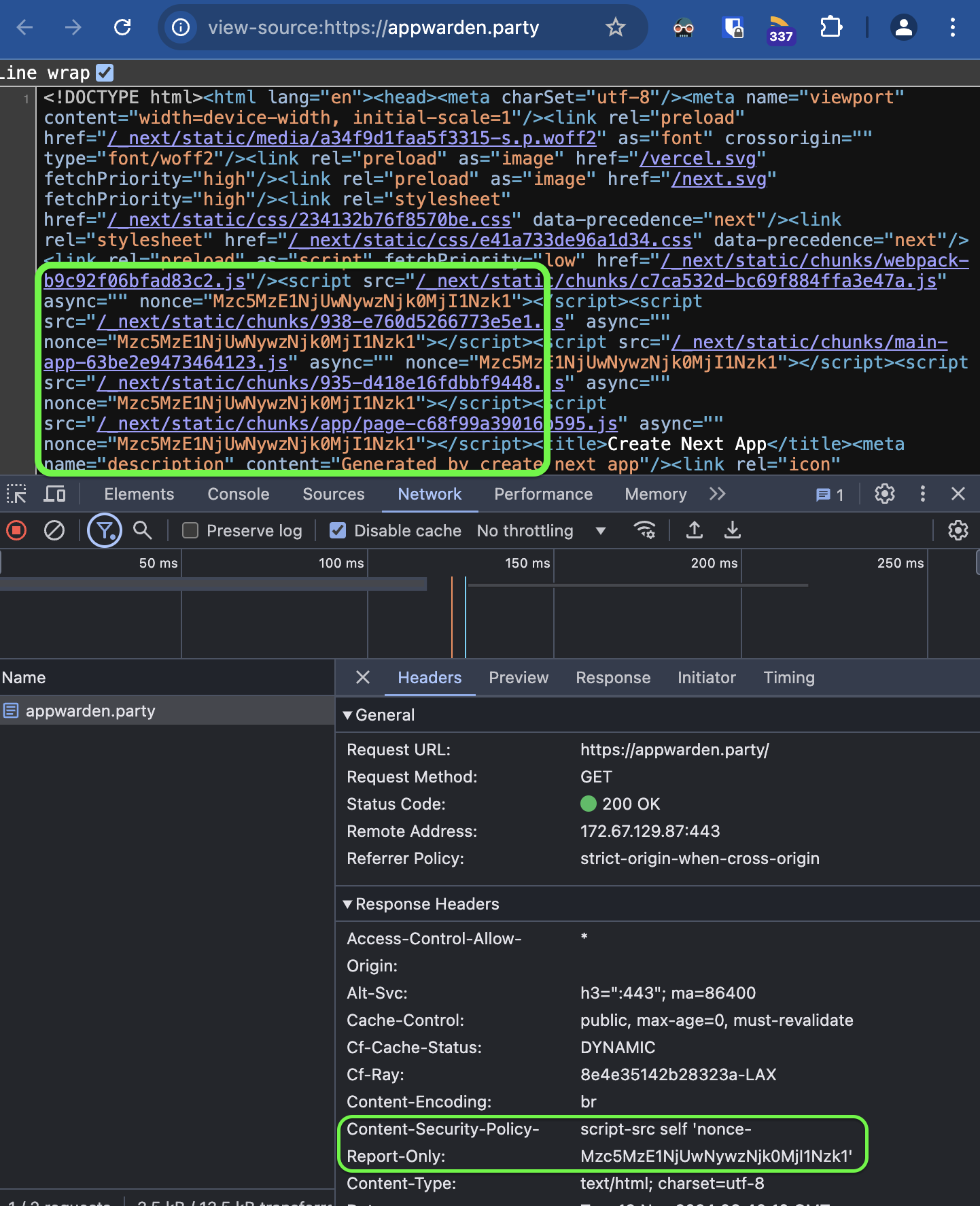
Depending on your web stack, nonce implementation is often tricky or frail. Appwarden simplifies the functionality into a few lines of configuration.
To configure your CSP, open the domain configuration file for the hostname you want to protect and add the following configuration:
hostname: your.appversion: 1websites: middleware: - url: your.app options: lock-page-slug: /maintenance csp-mode: report-only # or disabled or enforced csp-directives: script-src: - "self" - "{{nonce}}" # adds a nonce to the script-src directive # rest of csp hereWe added a middleware section to our websites in our domain configuration containing a list of domains and corresponding middleware options.
For a detailed explanation of middleware options, refer to the Middleware reference.
When you are finished editing your domain configuration file, commit your changes and open a pull request to the main branch for Appwarden to validate your configuration changes.
To apply your configuration change after your pull request is merged, redeploy your Appwarden middleware by triggering the Deploy Appwarden workflow in your domain configuration repository.
Check your deploy-appwarden-middleware.yml on triggers to determine how to redeploy your middleware. Depending on your triggers, you may need to push a new commit to your repository or create a new release to redeploy.
name: 🤖 Deploy Appwarden# if this trigger is enabled, redeploy by manually triggering the workflow# on: workflow_dispatch
# if this trigger is enabled, redeploy by making a new release# on:# release:# types: [published]
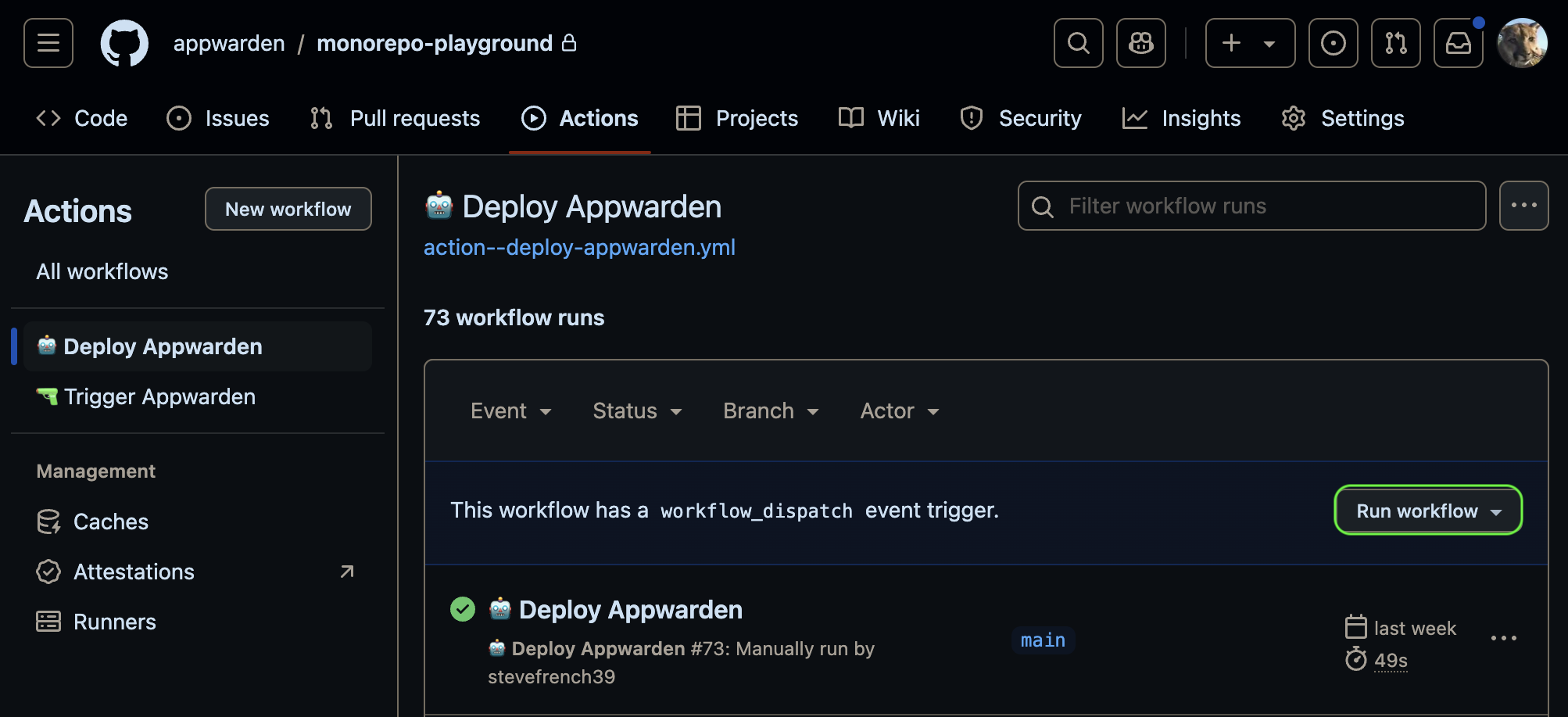
# if this trigger is enabled, redeploy by pushing to the main branch# on:# push:# branches:# - mainIf on: workflow_dispatch is enabled, you can redeploy manually in your repository’s Actions tab.
Navigate to your website and use your Developer Tools to inspect the HTML request headers for the expected CSP header and value. If you’re using a nonce, open the View Source tab on your web page and search for the nonce attribute in the script or style tags to confirm its presence.